Key Takeaways
- Apple's iOS 27 introduces a groundbreaking feature allowing iPhone users to create custom digital passes in Apple Wallet from physical cards, photos, or screenshots containing barcodes or QR codes.
- This update specifically targets cards like library cards and gym memberships that previously lacked an official 'Add to Apple Wallet' option, significantly reducing physical wallet clutter.
- Samsung Galaxy and Google Pixel owners have long enjoyed similar capabilities, enabling a broad spectrum of smartphone users to digitize various membership and loyalty cards.
- While highly convenient, user-created passes are distinct from official digital credentials; sensitive items like driver's licenses or credit cards require issuer verification.
- Users are advised to test newly created digital passes and retain physical cards until successful verification, always prioritizing official 'Add to Wallet' options when provided by organizations.
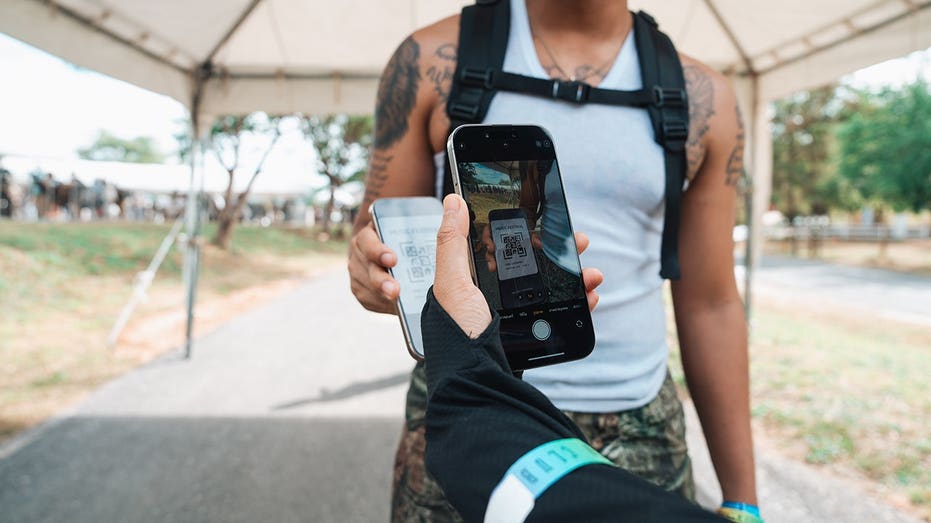
The days of a bulging wallet, overflowing with an assortment of plastic membership and loyalty cards, are rapidly drawing to a close. In a significant leap towards digital convenience, Apple's latest iOS 27 update empowers iPhone users to transform virtually any physical card with a barcode or QR code into a digital pass within Apple Wallet. This move levels the playing field, as Samsung Galaxy and Google Pixel devices have offered similar functionalities, ushering in a new era where your smartphone truly becomes your all-in-one wallet.
For years, iPhone users have faced a frustrating limitation: while many organizations offered digital passes, countless others, like local libraries or independent gyms, did not provide an 'Add to Apple Wallet' button. This meant carrying a physical card, even if its sole purpose was a quick scan. With iOS 27, Apple addresses this oversight directly, giving users unprecedented control over their digital wallet experience.
Apple's iOS 27 Innovation: DIY Digital Passes
The core of Apple's new feature lies in its ability to recognize and digitize barcodes and QR codes from various sources. If you possess an Apple Intelligence-compatible iPhone (such as the iPhone 15 Pro, iPhone 15 Pro Max, or iPhone 16 family and later models), the process is remarkably intuitive. Simply take a photo or screenshot of a card containing a clear barcode or QR code, and Apple Intelligence can detect it, offering the option to create a new Wallet pass. This intelligent recognition streamlines the digitization of items like library cards, gym memberships, and store loyalty cards.
Even without Apple Intelligence compatibility, iOS 27 provides a manual method to create a pass directly within the Wallet app. Users can input information and add a barcode or QR code image, ensuring that the feature is accessible to a wider range of iPhone models running the latest software. Once created, these passes can be customized, allowing users to adjust their appearance and the displayed information, making them as functional and personalized as possible.
Samsung and Google's Pioneering Solutions
While Apple's update is a welcome addition, Samsung and Google have been at the forefront of this digital wallet evolution for some time. Samsung Wallet, available on Galaxy phones, has long offered a robust solution for storing almost any membership card with a barcode. Users can easily add cards by scanning them directly within the app, providing a seamless experience for digitizing loyalty programs and other scannable credentials.
Similarly, Google Wallet on Pixel devices and other Android phones allows users to save passes from images containing barcodes or QR codes. Google specifically highlights the utility for library cards, gym passes, and parking passes. The process is straightforward: users can take a photo or select an existing image, and Google Wallet intelligently extracts the necessary information, creating a digital pass ready for use. Both Samsung and Google's implementations underscore a shared vision for reducing physical card dependency.
Best Practices and Important Limitations
While the ability to create custom digital passes is incredibly convenient, it's crucial to understand its limitations. This feature is best suited for cards whose primary function is a static barcode or QR code scan, such as library cards or basic loyalty programs. Before discarding any physical card, it's always advisable to test the digital version at its point of use. Some older scanners may struggle to read codes from a phone screen, or certain organizations might still require the original physical card.
Furthermore, it's vital to distinguish between a user-created pass and an official digital credential. Photographing a driver's license, credit card, secure workplace badge, or event ticket does not transform it into an officially recognized digital replacement. Sensitive credentials require specific verification processes from their issuing organizations, and payment cards have stringent security and enrollment requirements. For event tickets, many services now employ dynamic, refreshing barcodes to prevent fraud, meaning a static screenshot could fail at the gate. Whenever an issuer provides an official 'Add to Apple Wallet,' 'Add to Google Wallet,' or 'Samsung Wallet' option, that should always be the preferred and most secure method.
Why This Matters
The widespread adoption of user-created digital passes across major smartphone platforms marks a significant step towards a truly streamlined, card-free future. This innovation not only enhances daily convenience by reducing physical clutter but also empowers consumers with greater control over their personal information and access to services. By enabling the digitization of even the most basic loyalty and membership cards, Apple, Samsung, and Google are collectively pushing the boundaries of what a digital wallet can achieve, making our interactions with the physical world more efficient and less cumbersome.